Major Update for The Tactical Screen: Classic BattleTech BV, OPS Center & Army Management!
Get your units ready! Over the past few days, I’ve been working intensively on further developing The Tactical Screen . Today, I’m thrilled to present a massive update that takes the management of your units and armies to a whole new level!
Whether you’re organizing your collection in the hangar, putting together detailed lists for Classic BattleTech, or want to document the glorious history of your units on the battlefield—the new features always give you the right tool for the job.
1. Hangar Upgrades & Force List Optimizations
Custom Hangar Columns (Synced Across Devices)
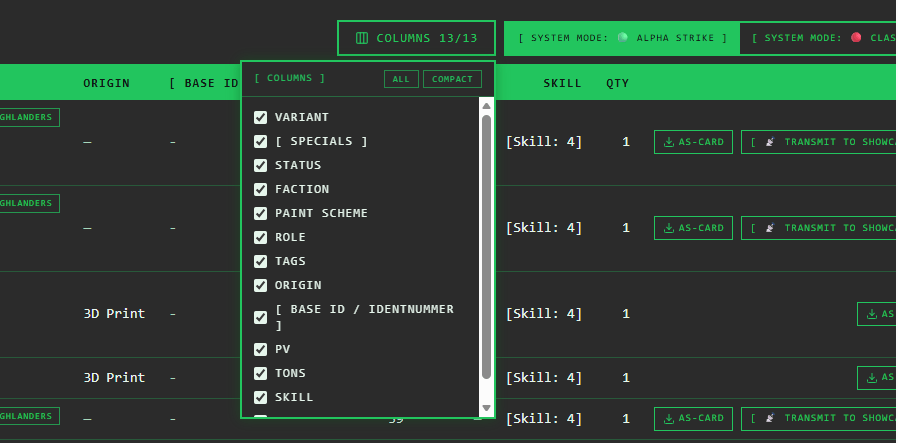
Your Hangar, your view! Since the Hangar table contains a lot of data, you can now choose which columns are visible.
Click the new button [ SPALTEN ] (with a handy counter like “COLUMNS 9/14”) in the top-right corner of the table header, a dropdown menu opens. There, you can easily show or hide any optional column (Variant, Specials, Status, Faction, Paint, Role, Tags, Origin, Base ID, HP/VP, Tonnage, Skill/GP, Quantity) using checkboxes.
- Quick Actions: Use the “Show All” or “Compact” buttons (shows only Chassis, Variant, Status, PV/BV, and Quantity) to switch views in a flash.
- Mode-Specific: Your column selection is saved separately for Alpha Strike and Classic BattleTech modes, since different columns make sense in each mode.
- Account Synchronization: Your settings are tied directly to your user account (stored in the database) and not just to your browser. Whether you’re on a PC, tablet, or smartphone—your Hangar view stays exactly the same on every device!
- No more horizontal scrolling: When you hide columns, the table’s minimum width automatically shrinks, eliminating the need for horizontal scrolling entirely in compact views.
Switch to Classic BattleTech View (including BV total)
Until now, the focus in the Hangar has primarily been on Alpha Strike. With the new update, we’re shifting into high gear: Starting now, you can seamlessly switch the Hangar view to Classic BattleTech!
In this view, the regular Battle Value (BV) values of the mechs are displayed. The system automatically calculates the total BV of your Hangar. This gives you a complete overview of the point value of your entire collection with just one click—perfect for preparing for your next battles using Classic rules.

Search field in the “Add ForcePack” dialog
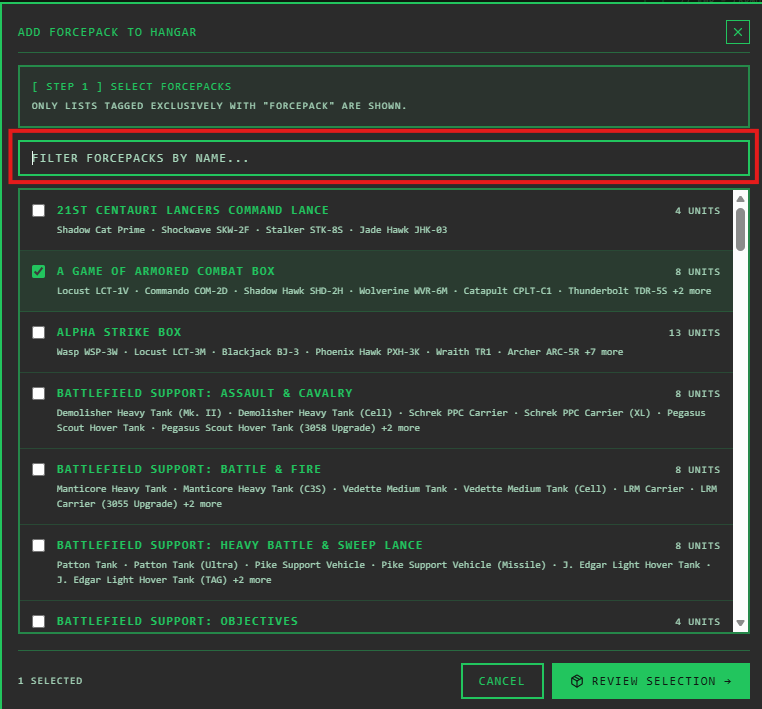
Is your hangar growing and your collection getting bigger and bigger? To speed up the process of adding new units, I’ve added a built-in search function to the “Add ForcePack” dialog. Instead of scrolling through long lists, just enter the name of the ForcePack and add the box directly to your collection.
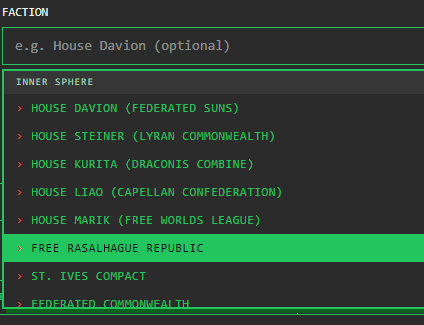
Revised Faction Selection
The faction selection boxes have also received a major upgrade! All previously missing factions have been added and clearly grouped to provide a much better overview.
Automatic Hiding of ForcePack Lists
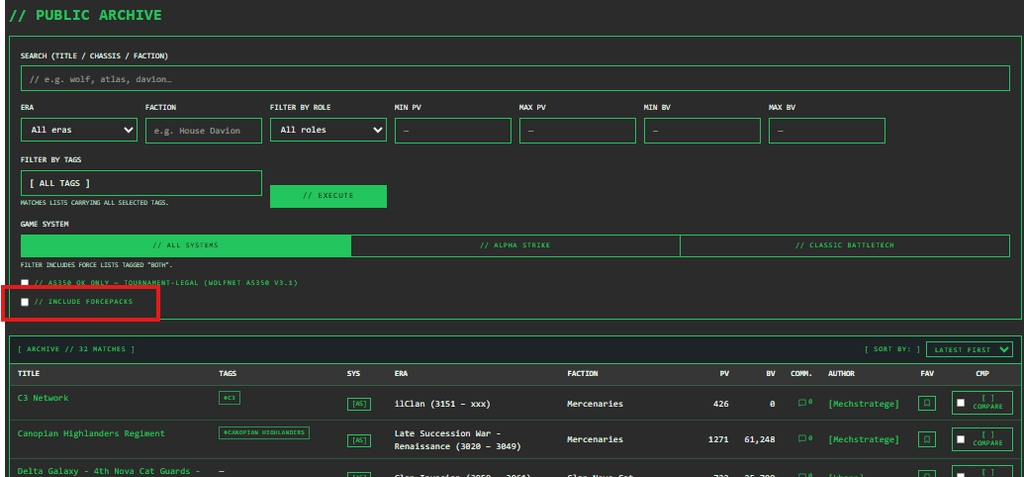
To keep the Force Lists table clear and focused on your actual army lists, lists tagged with ” Forcepack ” will now be hidden by default.
Would you still like to view these Hangar source lists? They’ll become visible as soon as you filter specifically by the “Forcepack ” tag or check the new box next to the “Include ForcePacks” filter option.
New Bar Chart for Range Coverage & Firepower
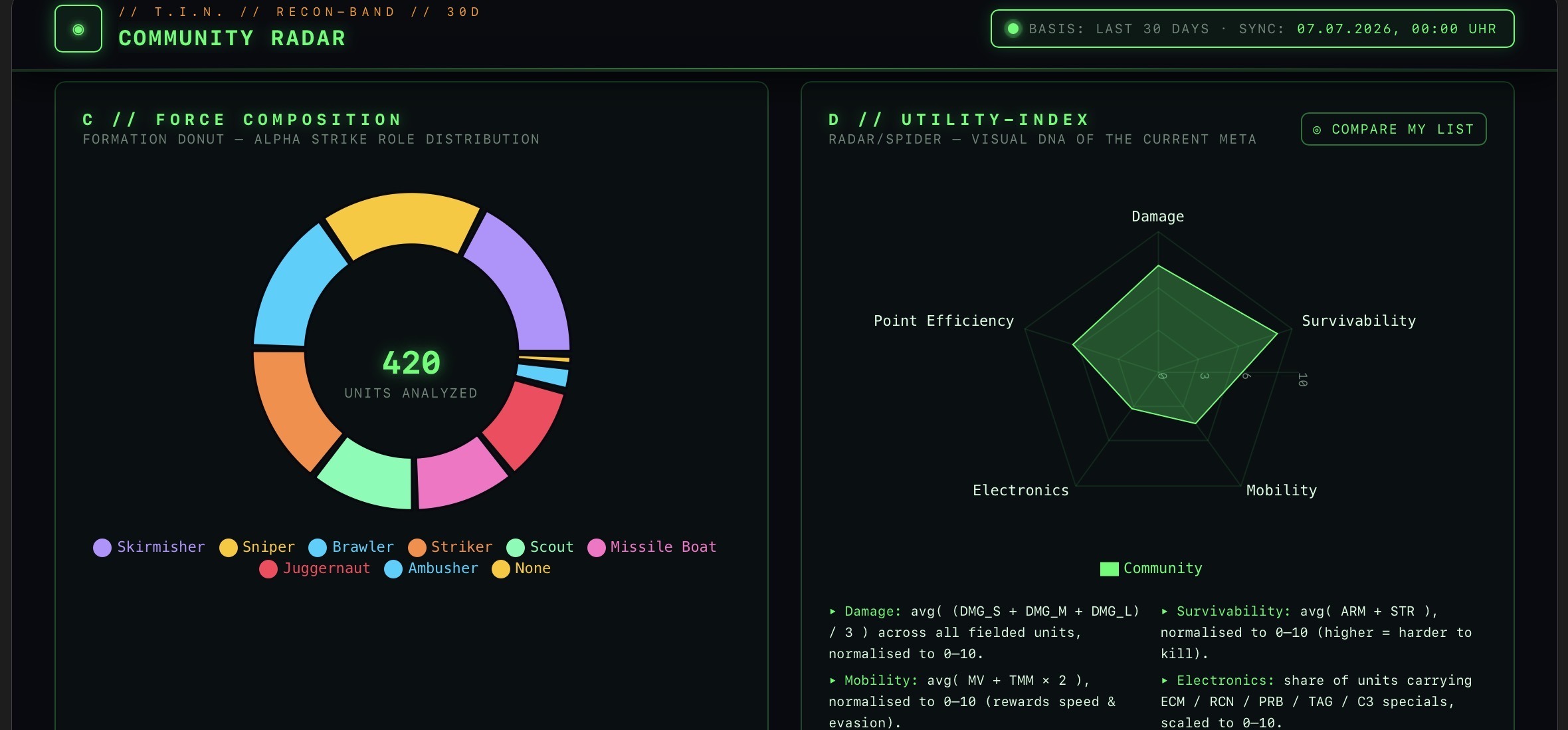
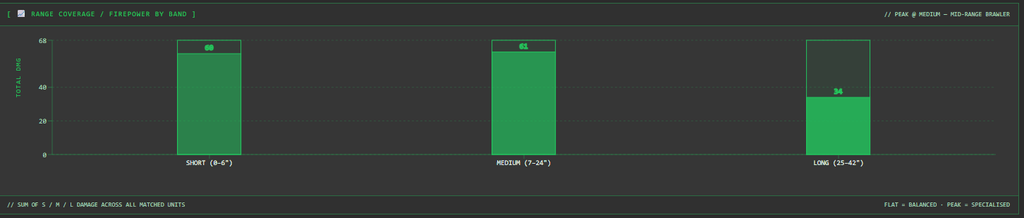
There’s also a nice usability upgrade when evaluating your army lists: The 📈 RANGE COVERAGE / FIREPOWER BY BAND chart, which displays a list’s damage output across the three range categories (short, medium, long), has been updated from a line chart to a much clearer and more readable bar chart. Now you can see at a glance at which distances your unit unleashes its greatest firepower!
Advanced List Comparison: Mobility & Jump Ability
There’s also a major tactical update to the list comparison feature: Starting now, you can compare two army lists even more closely in the comparison view. New features include a direct comparison of average movement range and an analysis of the number of units capable of jumping. This lets you see right away which force is more mobile on the battlefield!

2. Headquarters Announces: The New OPS Center & “My OPS”
At the heart of this update is the introduction of army structures and battle chronicles. Starting now, you’ll find two new hubs: My OPS and the OPS Center.
My OPS on the Dashboard: Create and manage your own armies
Under ” My OPS ” (located on the dashboard), you can now create your own complete armies. Give your troops a real identity:
- Visual Customization: Upload your own logos, army images, and header banners to give your army the visual presentation it deserves.
- Details & Eras: Enter comprehensive background information and specify in which eras of the BattleTech universe your army was or is active (e.g., Succession Wars, Clan Invasion, IlClan Era).

Export Army Master Data as a PDF
Would you like to have your headquarters with you on paper or archive it digitally? Starting now, you can export an army’s master data as a clear, easy-to-read PDF! Perfect for printing, for filing in binders at tournaments, or as a clear handout for your fellow players.
Example of a PDF export
Era-Specific Assignment of Army Lists & Linking in the Force List
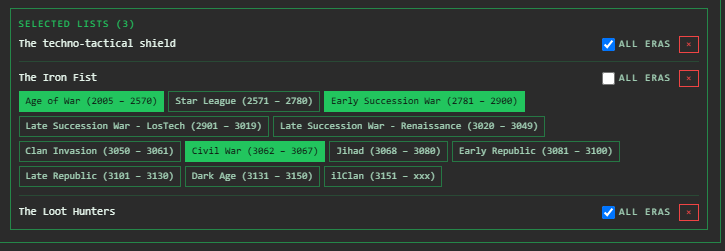
Each army can be assigned one or more of your public army lists (Force Lists). You can precisely control the time period during which these lists are valid:
- All Eras of the Army: The Force List applies consistently throughout the entire period of the army’s existence.
- Targeted Era Selection: One to n eras during which the army existed can be specifically assigned to a given Force List. This makes it possible to tailor the army’s composition to specific eras.
Example: A certain Force List is defined only for the Clan Invasion, while a more modern list takes effect only starting with the IlClan era.
New in the Force List View
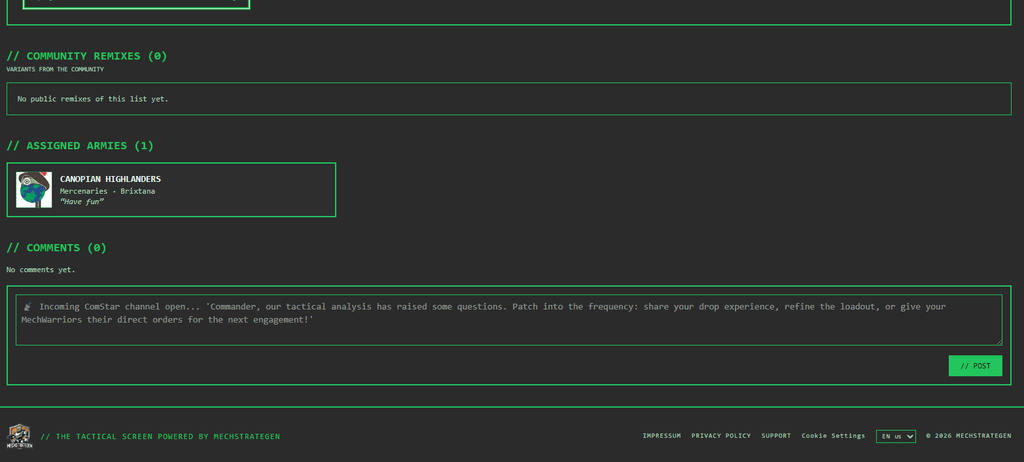
If a Force List is assigned to one or more armies, this will now be displayed directly in the Force List’s detail view! Above the comment section, you’ll now see a clear breakdown showing which armies this specific list belongs to.
Visibility in the OPS Center & Detailed View
You decide how secret your forces are! Each army can be set to either Private or Public.
OPS Center
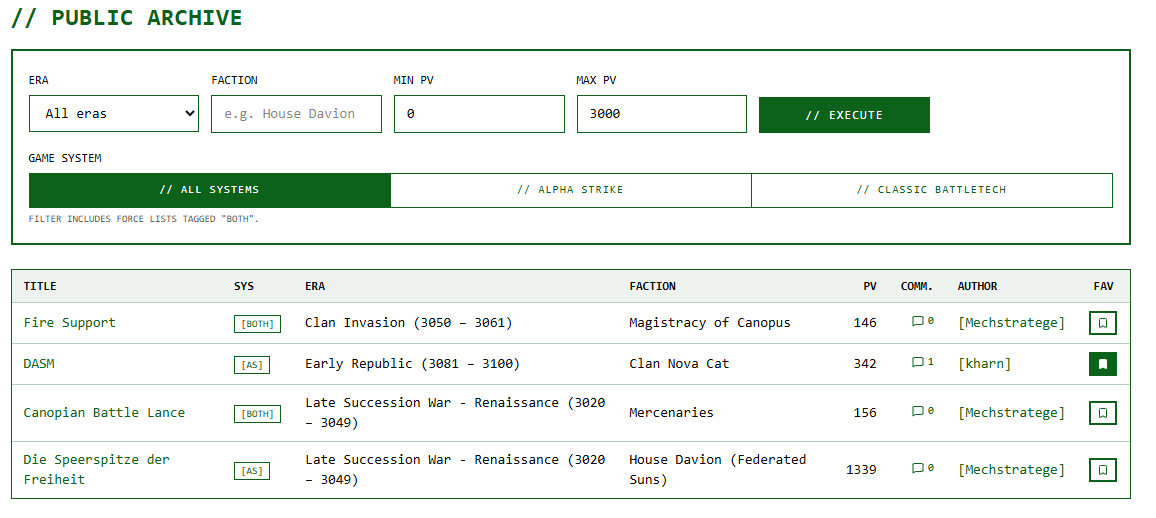
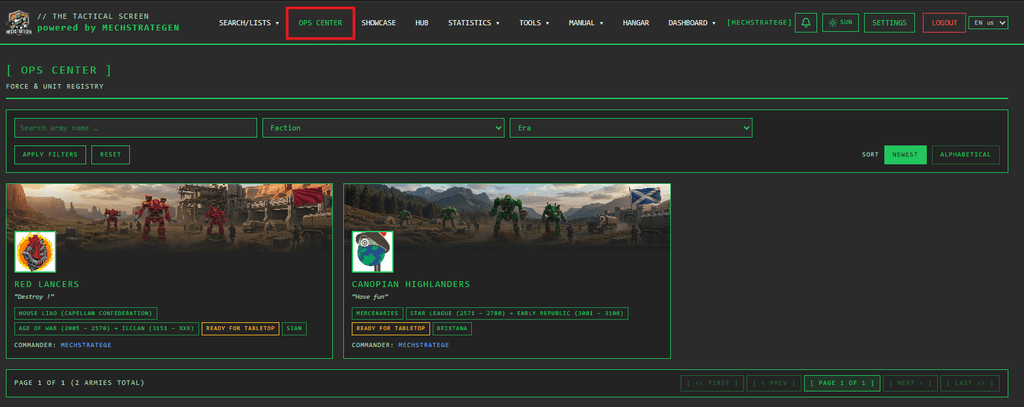
If you make an army public, it will appear in the new, global OPS Center. There, other commanders in the community can browse your armies, get inspired by your color schemes and setups, and view the detailed army page.
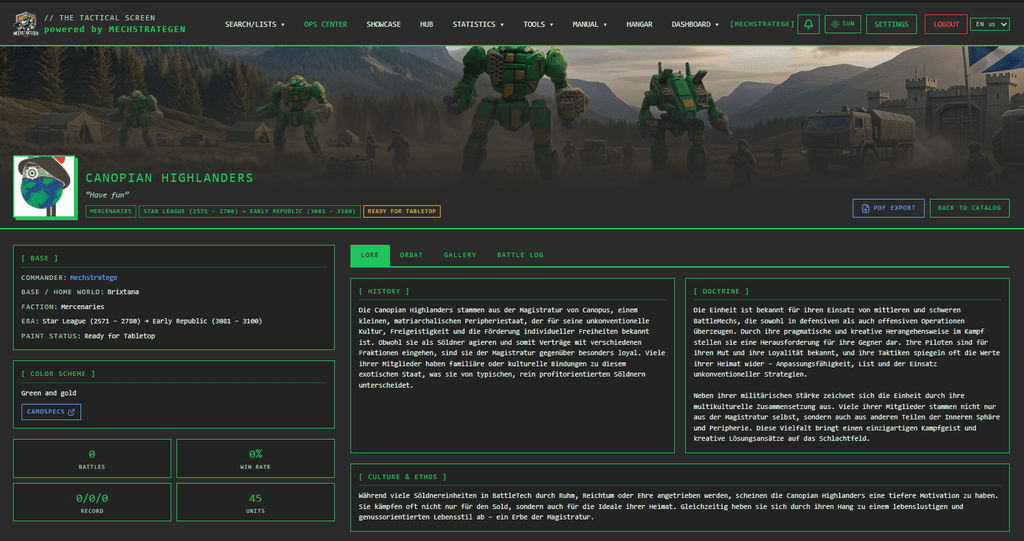
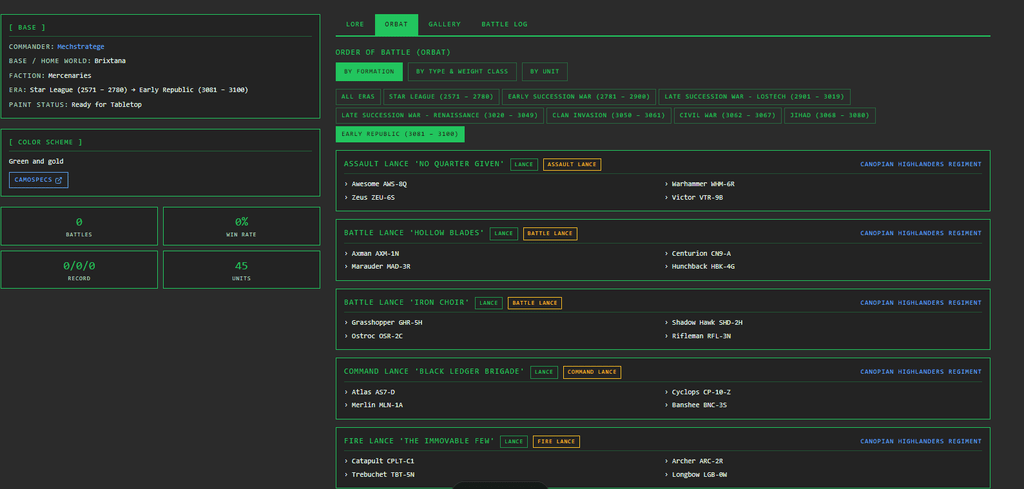
Detailed Views of an Army
3. Battle Reports Directly from the Field: The Battle Log System
Battle Logs for Your Armies
What would an army be without its victories, defeats, and dramatic twists? Starting now, you can keep a separate Battle Log for each of your armies!
Once you’ve deployed your army, you can track the following right away:
- When was the game played?
- Who was the opponent?
- How did the match end (win/loss/tie)?
- and much more.
For public armies, these Battle Logs are visible directly in the army’s detail view in the OPS Center. This creates a dynamic service record for your unit that documents your achievements on the game board for the community!

Try it now!
The update is now live on The Tactical Screen . Log in to your dashboard, click on My OPS, create your first army, and check out the OPS Center to see what the community has built.
I’m really excited to hear your feedback and to see the armies and battle logs you’ve created in the OPS Center!
Best regards
Sören from Mechstrategen
Transparency notice on the use of AI (in accordance with the EU AI Act):
The content of this blog is personally conceived, researched and defined by me. I use generative artificial intelligence to help me formulate and structure the texts.
Why? This enables me to prepare complex issues more precisely and to focus fully on the quality of the content and research. The final editorial control and responsibility for all published content lies solely with me.
Together for better content!
This blog is a project of the heart that can only continue to grow with your help. Every comment, every recommendation – and especially your financial support – secures the future of this platform.
Do you want this content to remain freely accessible?
This is how you can support the mission:
- NEWSLETTER REGISTRATION: Become part of the fast-growing community and never miss an update again!
- BECOME A PATREON MEMBER: Join the inner circle and get access to exclusive material and early releases.
- OTHER SUPPORT: Whether it’s a donation, sharing a post or recommending the blog to others – every form of support counts!
Let’s make this blog an even better place together!

Ich bin Sören Spieckermann, der Kopf hinter mechstrategen. Seit Jahren faszinieren mich taktische Tabletop-Schlachten und die strategische Tiefe von Mechs. Ob schnelle Gefechte in Halo: Flashpoint oder epische Schlachten bei BattleTech Alpha Strike – hier teile ich meine Erfahrungen und Taktiken mit dir. Mein Ziel? Sowohl Einsteigern den Start zu erleichtern als auch alten Hasen neue Impulse für das nächste Match zu geben.