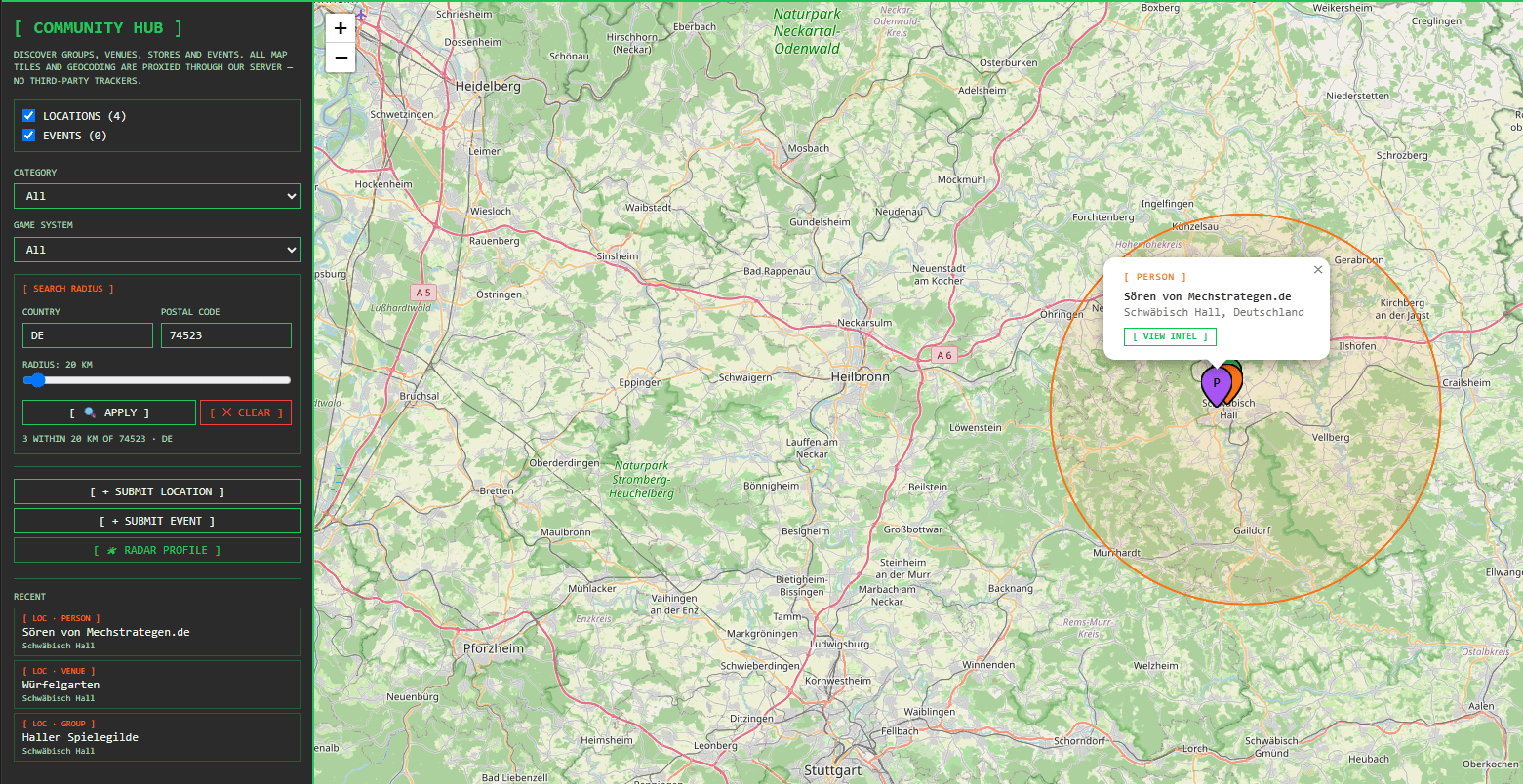
Welcome to “The Tactical Screen”—your new digital hangar and tactics center!
After extensive testing in the hangar, I’m pleased to present the latest tool on the blog today: The Tactical Screen. As a central platform for all BattleTech players (whether Alpha Strike or Classic BattleTech), this site finally bridges the gap between digital force planning, collection management, and direct interaction within the community.
Whether you’re a guest looking for quick ideas or a registered Commander player looking to build a tactical network—this screen will be your new best friend at the game table. Let’s take a look at the absolute highlights!
1. The Heart of the Community: Share Lists, Comment, & Remix
An army list is not a static document, but a dynamic battle plan. On The Tactical Screen, the focus is on interaction:
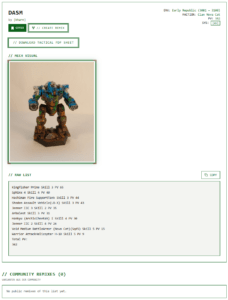
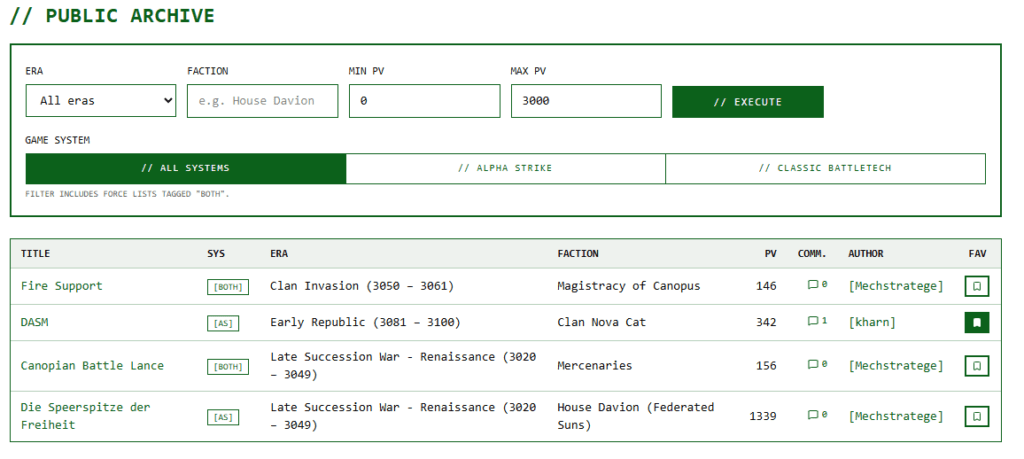
- Easy Sharing & Exporting: You can add all metadata (faction, exact era, HP value) to your lists in the editor, write a description of your tactics, and enter the units in plain text. You can even upload a picture of your painted miniatures (.jpg) with a live preview. You decide whether the setup remains “Private” for your archive or becomes “Public” and appears in the global search. Visitors can copy your lists directly to their clipboard using the “Copy” button.
- Post-flight debrief in the comments: Once you’re logged in, you can comment directly on any public list in the community. To make it easier to talk shop, a crimson-red notification bell lights up in the header whenever new posts are added. To keep the vibe just right, you’ll post under your personal callsign (e.g.,
[GhostRider]), which is displayed in a distinctive terminal-style font. Don’t want to miss any discussions? Use the email toggle in your profile to get automatic notifications when new comments are posted. - The “Forking” System (Remixes): You see another player’s fantastic list, but want to lower it from 300 PV to 250 PV or optimize it with your own mechs? Just click “Create Remix” to copy the entire setup to your dashboard. The genius of it: The original author’s work is automatically credited in the lineage (“Based on the list…”), and a “Community Remixes” tab appears on the original list, showcasing alternative tactics.
- Favorites System: Use the star icon to bookmark the best setups from other Commanders so you can access them instantly from your dashboard.
2. The Mechanized Highlight: The Digital Hangar & Force Building
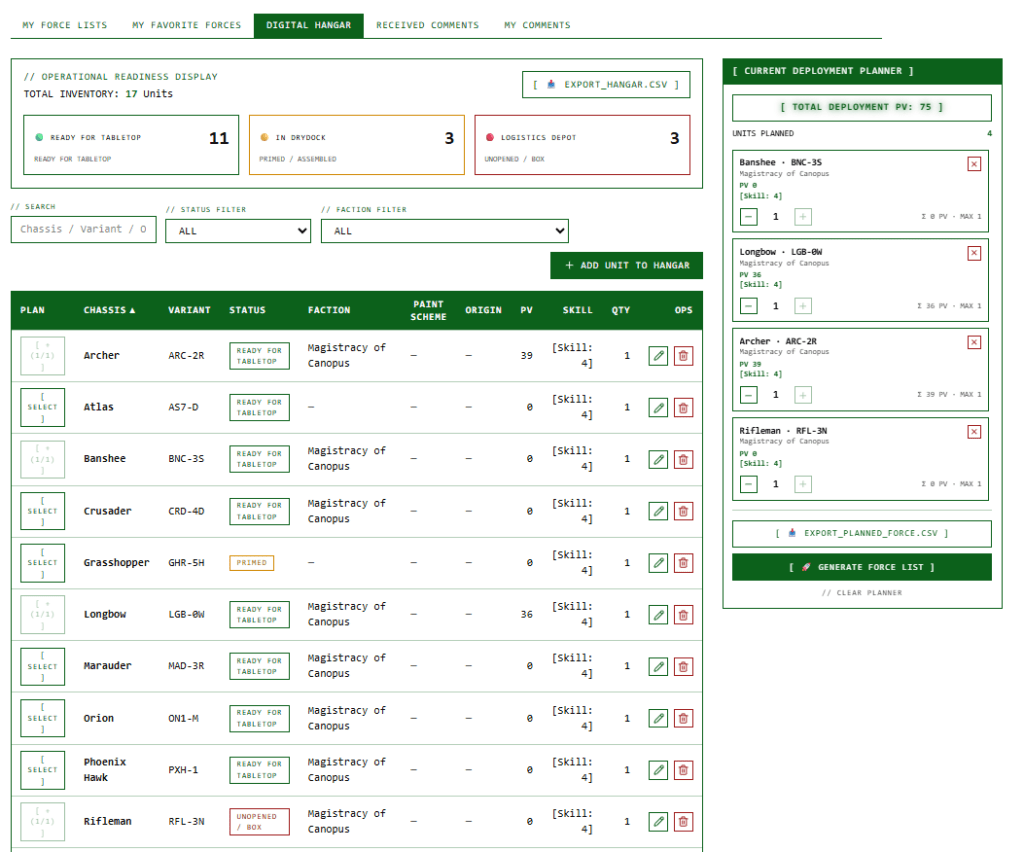
Say goodbye to confusing Excel spreadsheets for your miniatures. The Digital Hangar is your personal collection database, available directly on the platform:
- Keep track of your collection: Record your real-world mechs by chassis (e.g., Timber Wolf, Atlas), enter their PV value, and assign pilot skills from 0 (Elite) to 6 (Rookie). Organize your inventory by hobby status—from “
[Unopened / Box]” to “[Assembled],” “[Primed],” and “[Ready for Tabletop].” The “Tactical Readiness Display” instantly shows you your paint status. You can also download your entire collection as a backup to Excel at any time via CSV export. - The Tactical Deployment Planner: Got a match coming up? Just click “
[ SELECT ]” next to the Mechs you want in your Hangar table. The planner on the right lists your selections, multiplies the quantities, and displays the total points in real time at the top:[ TOTAL DEPLOYMENT PV: X ]. Adjust your limit perfectly and click on[ 🚀 GENERATE FORCE LIST ]—and a complete army list, including all entered skills and HP values, will be generated instantly, with no typing required! - The Smart Availability Check: When you save a list, the system checks in the background to see if you actually own the Mechs (the count is based solely on the base chassis to allow for variant flexibility). A traffic-light system (Green = ready for action, Yellow = in the hangar but still unpainted/in original packaging, Warning = not available/proxy required) gives you immediate feedback. If you try to schedule a Mech that physically exists only once in multiple active lists at the same time, the system will warn you about a duplicate entry (this can be disabled in your profile).
3. Additional tactical features for the game table
- Tactical PDF Data Sheets: To conserve battery life at the gaming table, authors can attach ready-to-use PDF data sheets (e.g., from the Master Unit List or Flechs Sheets) up to 10 MB to their lists. Visitors will see a green “Download Tactical PDF” button on public lists . This way, you’ll have armor points, structure, and critical damage data available offline on your tablet or printed out at the table.
- Support for all systems: The Filter HUD abbreviations let you know right away whether a list was written for Alpha Strike
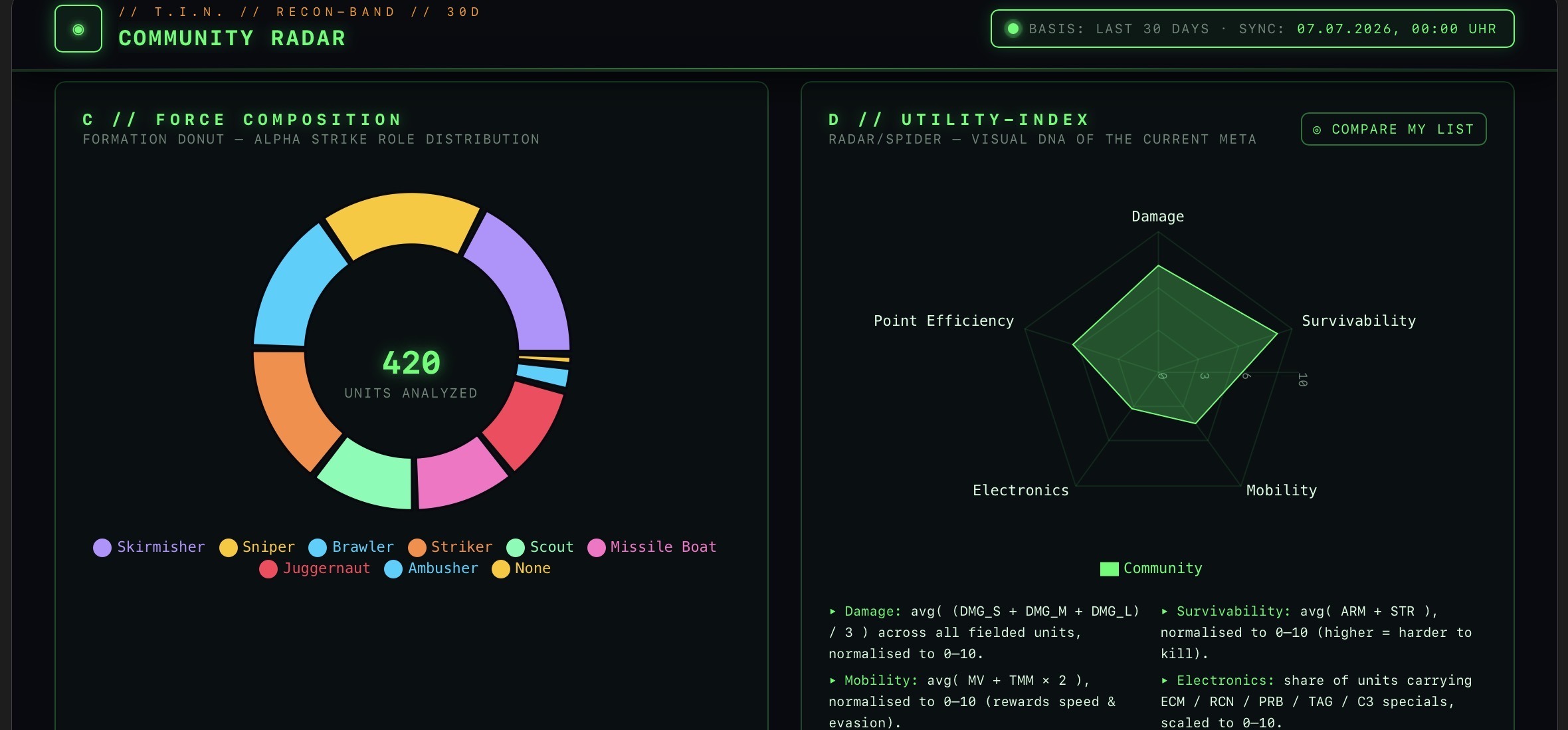
[AS], Classic BattleTech[CBT], or for both systems[BOTH]. - The Tactical Intelligence Network (TIN): Once every 24 hours (at 03:00 UTC), a background process analyzes all public lists anonymously. You can view global statistics at the Intelligence Terminal: Which era is the most active (Era Activity), which top 20 chassis dominate the meta (Troop Presence), and how are the factions distributed across the galactic map (Faction Distribution)?
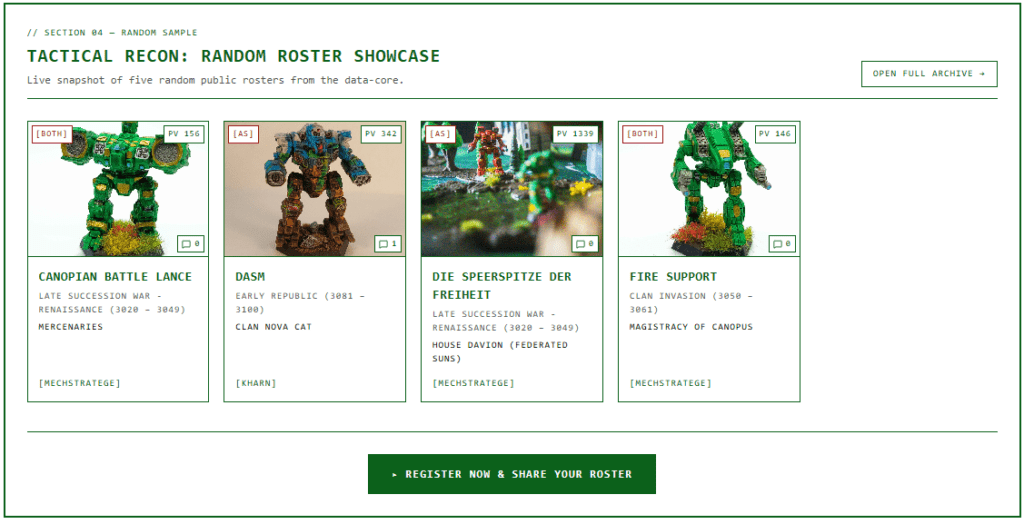
Great news for all collectors!
I’ve just added another awesome convenience feature to the Hangar that completely saves you from all that tedious typing: the new MekBay import interface!
If you already manage your miniature collection or mechs using the popular MekBay tool, you no longer have to laboriously re-enter the data character by character on The Tactical Screen.
- Import data in seconds: Simply export your collection in MekBay as a standardized CSV file.
- Seamless Synchronization: You’ll now find the “import_MekBay.CSV” option in your Digital Hangar dashboard . Upload the file there, and the system will automatically import all chassis data, variants, skills, BV values, and quantities.
- Ready to go right away in the Deployment Planner: Once imported, all Mechs are immediately available in the Tactical Deployment Planner, allowing you to generate your game-ready force lists.
No matter how big your real army is—moving it to your new digital hangar now takes just a few clicks!
The hangar is waiting—let the data roll!
New in the Cockpit: Tactical List Comparison & Visual Analysis
To take post-mission debriefs and technical discussions within the community to a whole new level, I’ve integrated two powerful tools directly into the detail view: tactical roster comparison and real-time graphical analysis.
Compare lists side by side: Are you torn between your original setup and one of the new community remixes? Starting now, you can compare any two lists side by side. The system visually compares chassis, PV differences, and driver skills, so you can immediately see which adjustments have been made.
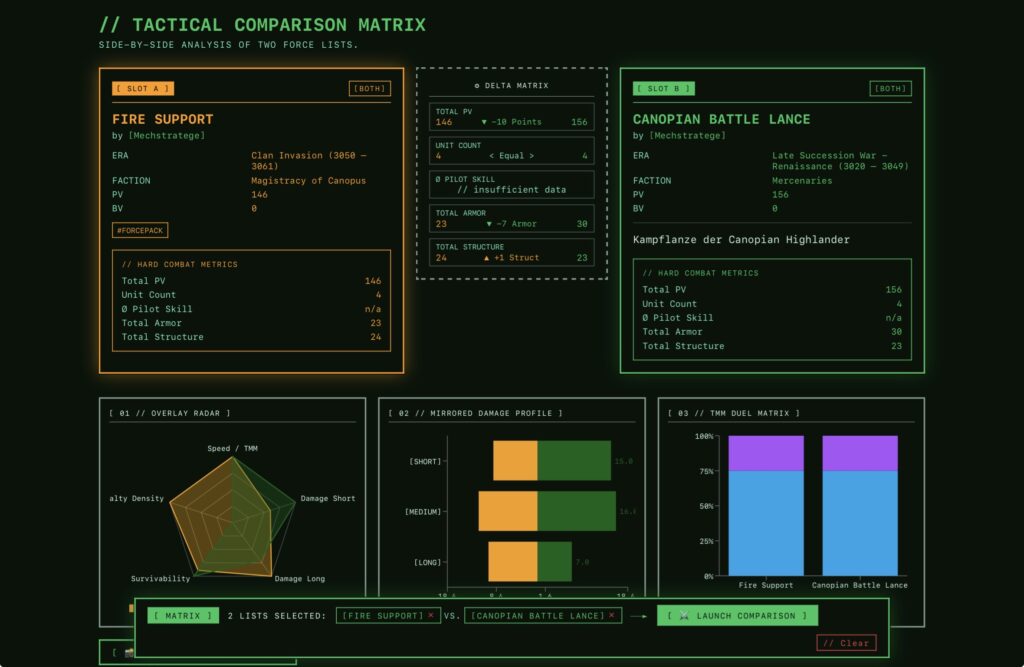
Visual Strength Analysis: Every army list is now automatically analyzed graphically. Dynamic charts let you see at a glance the weight distribution of your units (Light, Medium, Heavy, Assault), speed comparisons, and the ratio of weapon damage ranges.
Identifying Meta-Trends: This visual analysis not only helps you refine your own strategies, but also instantly shows you—when looking at other players’ lists—whether you’re facing a nimble reconnaissance unit or a heavily armored siege force.
With these new analysis tools, you no longer have to painstakingly compare data rows in your head—just one glance at the screen is enough to decipher an army’s tactical DNA!
4. Registration & Data Security
To get started, all you have to do is sign up via “Registration” with your email address and password at. An invisible honeypot field effectively blocks spam bots in the background—so you don’t have to solve any annoying CAPTCHAs! After confirming via the double opt-in email, your dashboard will be ready. And if you ever want to end your career: Clicking “Delete Account” will permanently remove your profile—including all lists, images, and comments—in full compliance with the GDPR (cascading deletion).
Click through, register your call sign, and fill up the hangar. I’m really excited to see your lists and look forward to discussing the best lance setups with you in the comments!
See you on the tactical screen!
Transparency notice on the use of AI (in accordance with the EU AI Act):
The content of this blog is personally conceived, researched and defined by me. I use generative artificial intelligence to help me formulate and structure the texts.
Why? This enables me to prepare complex issues more precisely and to focus fully on the quality of the content and research. The final editorial control and responsibility for all published content lies solely with me.
Together for better content!
This blog is a project of the heart that can only continue to grow with your help. Every comment, every recommendation – and especially your financial support – secures the future of this platform.
Do you want this content to remain freely accessible?
This is how you can support the mission:
- NEWSLETTER REGISTRATION: Become part of the fast-growing community and never miss an update again!
- BECOME A PATREON MEMBER: Join the inner circle and get access to exclusive material and early releases.
- OTHER SUPPORT: Whether it’s a donation, sharing a post or recommending the blog to others – every form of support counts!
Let’s make this blog an even better place together!

Ich bin Sören Spieckermann, der Kopf hinter mechstrategen. Seit Jahren faszinieren mich taktische Tabletop-Schlachten und die strategische Tiefe von Mechs. Ob schnelle Gefechte in Halo: Flashpoint oder epische Schlachten bei BattleTech Alpha Strike – hier teile ich meine Erfahrungen und Taktiken mit dir. Mein Ziel? Sowohl Einsteigern den Start zu erleichtern als auch alten Hasen neue Impulse für das nächste Match zu geben.